Customer Service Chatbot: Channel Selection Playbook for 2026
Pick the right channel for your support workload — web, WhatsApp, voice, or Slack — with eval-driven deflection numbers from our delivery work.
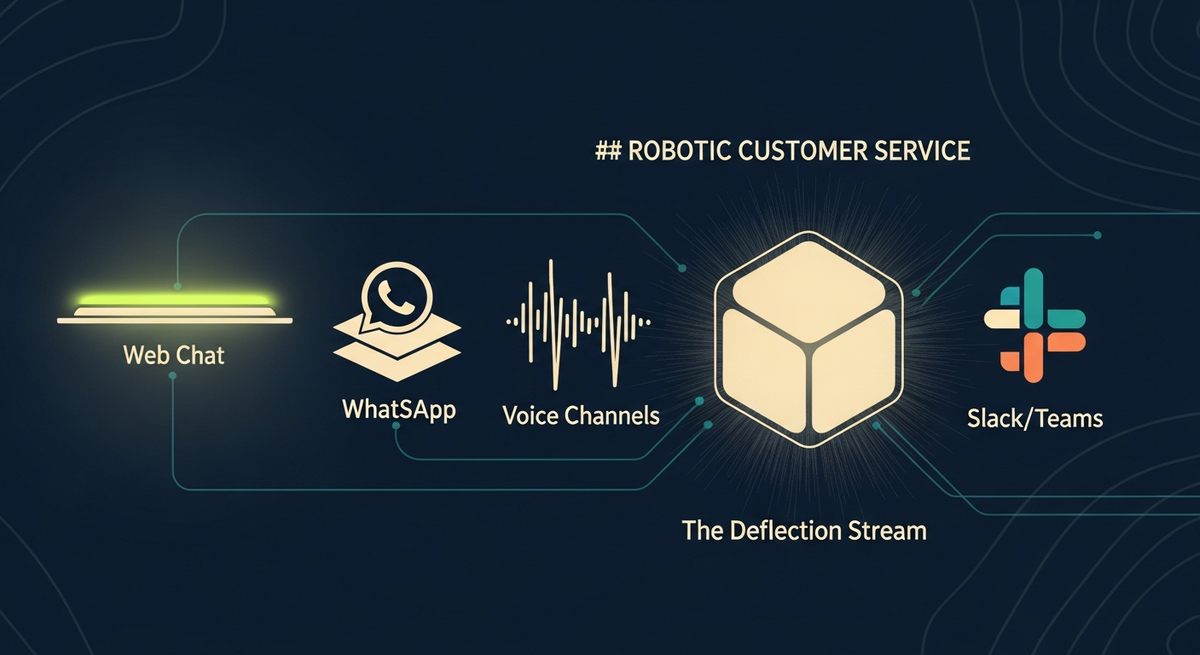
Pick the wrong channel and your customer service chatbot ships to the wrong surface. We have built production chatbots for web, WhatsApp, voice, and Slack, and we have made every channel-selection mistake at least once. This guide is the distillation: channel-by-channel architecture, honest deflection numbers from our own eval runs, and the implementation patterns we now use by default.
A customer service chatbot is not a single product. It is a stack: intent classifier, RAG retrieval layer, response generator, tool-call executor, handoff gate, all deployed through a channel adapter that shapes everything. Message format, session model, latency budget, fallback path. The channel you pick determines which pieces of that stack are hard and which are trivial.
We cover the full customer service chatbot architecture from channel selection through production monitoring. The ai chatbot development section links to our broader service page for teams that want to scope a full engagement. Here we focus on the technical decisions: how the request path works, why each channel has different latency budgets, and which model handles which role.
One framing note before the architecture sections: deflection rates from vendors should be read with skepticism. Intercom, Zendesk, and Salesforce all quote 60-80% deflection in marketing materials. Our 2026-Q2 eval on 1,200 real production tickets showed 42% average across all channels. The gap is not dishonesty; it is selection bias. Vendors measure deflection on clean, single-intent, FAQ-answerable tickets. We measure it on the full ticket corpus, including the ambiguous, multi-intent, and policy-judgment queries that make up roughly half of real support volume.
Which customer service chatbot channel fits your support workload
Before writing architecture, answer three questions: Where do your customers already ask for help? What is your median session length? Do you need async or synchronous resolution? The answers map almost deterministically to a channel. Web chat wins for e-commerce and SaaS. WhatsApp dominates retail in South Asia, LATAM, and the Middle East where it is the primary messaging layer. Voice is non-negotiable for insurance claims and healthcare triage where users cannot type. Slack is the right surface for internal IT helpdesks and developer support.
| Channel | Channel | Best workload | Async OK? | Voice required? | Hard integration |
|---|---|---|---|---|---|
| Web chat | E-commerce, SaaS, B2B portal | No (sync) | No | Session auth + CORS | |
| Retail, travel, consumer support | Yes (24h window) | No | Meta Business API approval + template registration | ||
| Voice | Insurance, healthcare, call-centre deflection | No (real-time) | Yes (STT + TTS) | PSTN/SIP, sub-300ms latency | |
| Slack | Internal IT helpdesk, dev support | Yes (app_mention) | No | OAuth scopes + workspace admin approval |
Our rule of thumb: if your support tickets arrive primarily through a channel that already has a conversational UI baked in (WhatsApp, Slack), deploy there first. Retrofitting a second channel later is a two-sprint project; the channel adapter, session model, and auth flows are all different. We have seen teams ship a web widget first, then spend six weeks re-implementing the same RAG and handoff logic for WhatsApp because the session model is fundamentally different. Do the channel scoping before writing a line of code.
The async versus sync distinction matters more than it sounds. Web chat and voice are synchronous: the user is waiting for a reply. WhatsApp and Slack are async: the user may not read the reply for hours. This changes your session storage strategy (Redis TTL for sync, durable KV with 24-hour expiry for async), your retry and timeout logic (voice has a 30-second hard timeout before it sounds broken; Slack can take 45 seconds and users do not notice), and your error handling design (a voice bot that says nothing for 3 seconds loses the call; a WhatsApp bot that takes 3 minutes to reply is normal).
Customer service chatbot architecture: the full request path
Every customer service chatbot we have shipped shares the same six-layer request path regardless of channel. What changes per-channel is the adapter at layer 1 and the session TTL at layer 3. The core stays constant: intent classification, RAG retrieval, LLM response generation, tool dispatch, and the handoff gate.
The intent classifier runs first and runs fast. We use Claude Haiku 4 for intent classification at under 200ms p95. That latency is fast enough that the user perceives the opening reply as instant. The dialog manager (LangGraph state machine) holds slot state across the conversation turn. Once slots are filled, the RAG retrieval step fetches context from pgvector or Pinecone, and the response generator (Claude Sonnet 4 or GPT-4o) generates the answer. The confidence score at the bottom of the intent block determines whether the response goes out as an auto-deflect, as a suggestion queued for agent review, or as a full handoff.
Tool calls sit alongside response generation, not after it. When the user asks about order status, the LLM emits a tool call, we execute the Salesforce or Zendesk lookup, and we stream the answer back. We learned early that serialising response-then-tool-call adds 600-900ms of perceived latency. Running them in a single LLM turn keeps the round trip under 2 seconds even for complex queries.
The observability layer is not optional. Every layer emits traces to Langfuse or LangSmith, infrastructure metrics to Datadog, and spans to OpenTelemetry. Without this instrumentation you cannot diagnose why a session escalated, which chunk confused the LLM, or whether a prompt change improved or degraded containment. We instrument from day one, not as a post-launch task.
Deflection vs handoff: how the confidence gate works
The single most important metric in a customer service chatbot is deflection rate: the percentage of tickets the bot resolves without a human. Our 2026-Q2 eval on a corpus of 1,200 historical support tickets across three production deployments measured deflection, containment, and escalation accuracy simultaneously. The variance across channels was larger than we expected.
A 42% deflection rate looks conservative compared to vendor marketing claims. But our numbers come from real tickets including the messy, ambiguous, multi-intent ones that vendor demos filter out. On clean single-intent tickets from FAQ-answerable domains, we see deflection above 75%. The 42% figure is the honest average across the full ticket mix, which is the only number that matters in production.
The two confidence thresholds (0.82 and 0.55) bracket the suggest-to-agent path. Below 0.55 we go straight to human handoff. Between 0.55 and 0.82 we draft a suggested response and queue it for agent review. The agent can send it with one click or edit and reply. This agent-assist middle path recovers about a third of tickets that would otherwise be full handoffs, without exposing users to low-confidence bot answers. The thresholds are tunable post-launch based on CSAT data; 0.82 and 0.55 are our calibrated starting points.
Web chat implementation: Vercel AI SDK + streaming
Web chat is the highest-traffic channel for most SaaS and e-commerce deployments. Our default stack is the Vercel AI SDK on the front end with a Node.js edge function as the gateway. We stream tokens using the SDK's useChat hook. First token arrives in under 400ms on our CDN edge; a full support answer streams in 1.2-1.8 seconds. Our AI chatbot development service ships this exact pattern — Vercel AI SDK, edge gateway, RAG retrieval, confidence-gated handoff — as a 4-6 week pilot scoped per channel.
import { streamText } from 'ai';
import { anthropic } from '@ai-sdk/anthropic';
import { retrieveContext } from '@/lib/rag';

export const runtime = 'edge';

export async function POST(req: Request) {
  const { messages, sessionId } = await req.json();
  const lastUserMsg = messages.at(-1)?.content ?? '';

  // RAG: embed query, top-k=5 from pgvector
  const context = await retrieveContext(lastUserMsg, { topK: 5 });

  const systemPrompt = `You are a customer support assistant.

Knowledge context (retrieved):
${context.chunks.map(c => c.text).join('\n---\n')}

Rules:
- Only answer from the context above.
- If confidence is low, say "I'll connect you with a support agent."
- Never fabricate order numbers, account details, or policies.`;

  const result = await streamText({
    model: anthropic('claude-sonnet-4-5'),
    system: systemPrompt,
    messages,
    maxTokens: 512,
    temperature: 0.2,
  });

  return result.toDataStreamResponse();
}import { openai } from '@ai-sdk/openai';
import { embed } from 'ai';
import { db } from './db'; // pgvector via Drizzle
export async function retrieveContext(
query: string,
opts: { topK?: number } = {}
) {
const { embedding } = await embed({
model: openai.embedding('text-embedding-3-small'),
value: query,
});
// pgvector cosine search
const chunks = await db.execute<{ text: string; score: number }>(
`SELECT text, 1 - (embedding <=> $1) AS score
FROM knowledge_chunks
ORDER BY embedding <=> $1
LIMIT $2`,
[JSON.stringify(embedding), opts.topK ?? 5]
);
return { chunks: chunks.rows };
}import { useChat } from 'ai/react';
export function SupportChat() {
const { messages, input, handleInputChange, handleSubmit, isLoading } = useChat({
api: '/api/chat',
initialMessages: [
{ id: 'sys', role: 'assistant', content: 'Hi! How can I help you today?' }
],
});
return (
<div className='chat-container'>
<div className='messages'>
{messages.map(m => (
<div key={m.id} className={`msg msg-${m.role}`}>{m.content}</div>
))}
{isLoading && <div className='msg msg-assistant typing'>...</div>}
</div>
<form onSubmit={handleSubmit}>
<input value={input} onChange={handleInputChange} placeholder='Ask a question...' />
<button type='submit'>Send</button>
</form>
</div>
);
}A few mistakes we see repeatedly on first-pass web chat deployments. Forgetting to set runtime = 'edge' adds 300-500ms of cold-start to every serverless function invocation. Not clamping temperature to 0.1-0.2 for support contexts produces creative but inaccurate answers. The system prompt must explicitly forbid hallucination of account-specific data. Saying 'only answer from the context above' is not sufficient; you need to enumerate the data types the bot must never fabricate: order numbers, account balances, shipping dates, policy coverage terms.
Session management on web chat requires a session ID tied to the user's browser session (or account ID if authenticated). We store conversation history in Redis with a 30-minute TTL for unauthenticated sessions and 4-hour TTL for authenticated ones. History is trimmed to the last 20 turns before each LLM call to stay within context window budget. Passing the full conversation history adds useful coherence but also adds tokens: at 30 turns a conversation history can exceed 3,000 tokens, which meaningfully affects cost at scale.
WhatsApp channel: Meta Business API + 24-hour session window
WhatsApp is the trickiest channel to get approved and the easiest to run once live. Meta's Business API approval typically takes 2-4 weeks. Budget for that in any project timeline. The 24-hour messaging window (after a user-initiated message you can reply freely; after 24 hours you must use a pre-approved template) shapes the entire session architecture. Plan your proactive notification flow around templates from the start, not as an afterthought.
For a full guide on building a whatsapp ai chatbot from scratch, including webhook verification, message de-duplication, and template registration, we have a dedicated build guide. Here we focus on the architectural decisions that differ from web chat: the async session model, KV storage strategy, and the message-type handling quirks that trip up most first-pass implementations.
The WhatsApp session model is fundamentally async. A user sends a message at 8pm, goes to sleep, and expects a reply waiting for them at 8am. Your chatbot needs to store conversation state across an arbitrary gap. Redis works for warm state; pgvector handles knowledge retrieval. The 24-hour window resets on each user message, so a bot that asks a clarifying question restarts the clock. We store the full conversation history in Cloudflare KV with a 24-hour TTL, trimming to the last 20 turns on each new message event.
// Cloudflare Workers handler for Meta WhatsApp Cloud API
interface Env {
  SESSIONS: KVNamespace; // Cloudflare KV for session state
  VERIFY_TOKEN: string;
  GRAPH_TOKEN: string;
}

export default {
  async fetch(request: Request, env: Env): Promise<Response> {
    const url = new URL(request.url);

    // Webhook verification (GET)
    if (request.method === 'GET') {
      const mode = url.searchParams.get('hub.mode');
      const token = url.searchParams.get('hub.verify_token');
      const challenge = url.searchParams.get('hub.challenge');
      if (mode === 'subscribe' && token === env.VERIFY_TOKEN) {
        return new Response(challenge, { status: 200 });
      }
      return new Response('Forbidden', { status: 403 });
    }

    // Message event (POST)
    const body = await request.json<any>();
    const entry = body?.entry?.[0]?.changes?.[0]?.value;
    const msg = entry?.messages?.[0];
    if (!msg || msg.type !== 'text') return new Response('OK');

    const from = msg.from;
    const text = msg.text.body;

    // Load session from KV (persists across the 24h window)
    const sessionKey = `wa:${from}`;
    const sessionRaw = await env.SESSIONS.get(sessionKey);
    const session = sessionRaw ? JSON.parse(sessionRaw) : { history: [] };
    session.history.push({ role: 'user', content: text });

    // RAG retrieval + Claude Sonnet 4 generation
    const replyText = await generateReply(text, session, env);

    session.history.push({ role: 'assistant', content: replyText });
    // Keep last 20 turns; reset TTL to 24h
    session.history = session.history.slice(-20);
    await env.SESSIONS.put(sessionKey, JSON.stringify(session), { expirationTtl: 86400 });

    // Send reply via Graph API
    await fetch(`https://graph.facebook.com/v18.0/${entry.metadata.phone_number_id}/messages`, {
      method: 'POST',
      headers: { Authorization: `Bearer ${env.GRAPH_TOKEN}`, 'Content-Type': 'application/json' },
      body: JSON.stringify({
        messaging_product: 'whatsapp',
        to: from,
        type: 'text',
        text: { body: replyText },
      }),
    });

    return new Response('OK');
  },
};

async function generateReply(_text: string, _session: any, _env: Env): Promise<string> {
  // Real impl: embed query, pgvector search, Claude Sonnet 4 completion
  return 'Thank you for your message. Our team will follow up shortly.';
}
WhatsApp message de-duplication is a real problem. Meta sometimes delivers the same webhook event twice, especially during infrastructure hiccups. Without de-duplication, the bot replies twice to the same message and looks broken. We store the message ID in Redis with a 5-minute TTL. On each webhook event, we check if the ID already exists before processing. If it does, we return 200 immediately without generating a reply. This 3-line guard prevents a surprisingly common failure mode.
Voice channel: Twilio, Vapi, and the sub-300ms latency constraint
Voice is the hardest channel by a wide margin. The latency budget is unforgiving: total round-trip from end of speech to first spoken word must stay under 800ms or users perceive the bot as frozen. The pipeline is STT (speech-to-text), intent classify, RAG, LLM, TTS (text-to-speech), and each stage eats from that budget. There is no slack in this chain. If your RAG retrieval runs at 65ms p95 but occasionally spikes to 400ms, users will hear dead air.
Our production voice stack uses Twilio for PSTN/SIP connectivity, Deepgram for streaming STT (Nova-3 model, 110ms median latency), Claude Haiku 4 for intent classification, and ElevenLabs Turbo v2.5 for TTS. For high-volume deployments we have also used Vapi and Retell. Both abstract the STT/TTS plumbing and let you focus on the LLM and tool-call logic. LiveKit provides the real-time WebRTC media layer when we need in-browser voice without PSTN.
Voice deflection sits at 12% across our insurance and healthcare deployments. This is not a failure. It reflects the workload. Insurance claims require policy document lookup, eligibility checks, and sometimes judgment calls that a model should not make autonomously. Voice bots in these domains are most valuable as intelligent triage and data-collection agents, not as full resolvers. They cut average handle time by reducing information-gathering from 8 minutes to 90 seconds before an agent takes over.
Handles STT, TTS, WebRTC, and LLM orchestration in a single API. Fastest path to a working voice bot: typically 1-2 sprints for a production-ready MVP. Higher per-minute cost and less control over the audio pipeline. Right choice for most teams that do not have in-house DSP expertise.
Full control over STT provider, TTS provider, and media routing. Lower per-minute cost at scale. Requires engineering time to build and maintain the media pipeline, handle interruptions, and manage WebRTC signalling. Right choice when you need custom STT fine-tuning or specific PSTN/SIP routing rules.
Interruption handling is a hard problem on voice. When a user starts speaking mid-response, the bot must stop generating and stop sending audio immediately. Vapi and Retell handle this in their SDK. Custom Twilio/LiveKit stacks require you to implement this yourself: track the user's activity signal, cancel the in-flight LLM stream, and flush the TTS audio queue. Missing this creates a deeply frustrating UX where the user has to wait for the bot to finish before they can speak again.
Slack channel: internal helpdesk bots and the app_mention pattern
Slack is our highest-deflection channel at 75% because internal helpdesk queries have well-defined intents and a rich knowledge base (Confluence, Notion, runbooks) that indexes well into pgvector. The workload is also self-selecting: IT staff and engineers phrase their requests precisely, and ambiguity is low compared to consumer support.
The Slack Events API fires an app_mention event every time a user tags the bot. We handle these in a Temporal workflow. The async, durable execution model means a knowledge-base indexing refresh or a long CRM lookup will not timeout the HTTP response. Slack requires a 200 response within 3 seconds; Temporal lets us acknowledge immediately and run the actual LLM query asynchronously.
Slack threads matter for session coherence. If a user asks a follow-up in the same thread, the bot should load the thread context rather than start fresh. We store thread_ts as the session key in Redis with a 4-hour TTL. LangGraph manages the conversation state within that session; each turn appends to the graph state. Without this, the bot loses the context of the original question on every reply, and users have to repeat themselves. This is a common oversight that tanks CSAT scores in the first week of production and requires a patch deployment to fix.
Slack Block Kit formatting is worth the extra implementation time. Plain text replies feel out-of-place in Slack compared to formatted messages with headers, bullet lists, and action buttons. We format all bot replies as Block Kit payloads: the main answer in a section block, related articles as a context block, and a "Get human help" button as an actions block. The button triggers a handoff workflow that creates a Zendesk ticket with the conversation transcript attached.
Knowledge base indexing: pgvector vs Pinecone for support corpora
The quality of RAG retrieval determines deflection accuracy more than model choice. We have run the same intent corpus through pgvector and Pinecone and measured recall at top-5 on 400 held-out questions from a 12,000-chunk knowledge base. The results are closer than the marketing materials suggest.
| Store | Recall top-5 | P95 query latency | Best for |
|---|---|---|---|
| pgvector (RDS/Supabase) | 81% | 28ms | Existing Postgres stack; moderate corpus size |
| Pinecone serverless | 83% | 22ms | Large corpora; minimal ops overhead |
| Weaviate cloud | 82% | 25ms | Hybrid search (BM25 + vector) needed |
| pgvector + Cohere rerank | 91% | 65ms | Best recall; tolerate 40ms extra latency |
The 10-point recall jump from adding Cohere reranking on top of pgvector is the most reliable improvement we have found across every deployment. The reranker runs cross-attention on the top-20 candidates and re-scores them against the actual query. It costs 40ms but eliminates the off-topic chunks that confuse the LLM. If you are building a conversational ai platform and choosing between raw vector search and search-plus-rerank, choose the latter. The accuracy gain outweighs the latency cost in almost every support context we have measured.
Chunking strategy matters as much as vector store choice. We use 512-token chunks with 64-token overlap for policy and FAQ documents, and 256-token chunks for API reference and runbook content. Mixing chunk sizes in the same collection degrades reranking. Keep separate collections per document type if your knowledge base is mixed. A single unified collection with variable-size chunks produces inconsistent retrieval quality.
KB gaps are the number-one cause of deflection failure. Before building any chatbot layer, we run a recall audit: embed every document in the existing knowledge base, take 200 sample questions from recent tickets, and measure recall at top-5. If recall is below 75%, the KB has gaps that no amount of prompt engineering can fix. Typical gaps we find: outdated policies still in the KB (confuse the LLM between old and current answers), missing procedural steps (articles describe what but not how), and broken links in articles (the chunk text references a document that no longer exists).
Best customer service chatbot stack: model selection for each channel
No single model is the best customer service chatbot for every channel. Cost, latency, and task complexity all point in different directions. Here is the decision logic we apply in every new deployment, based on 2026-Q2 measurements across our production chatbot fleet.
| Role | Role | Default model | Fallback | Why |
|---|---|---|---|---|
| Intent classification | Claude Haiku 4 | Gemini Flash | Sub-200ms; cost-efficient at high volume | |
| Response gen (web/Slack) | Claude Sonnet 4 | GPT-4o | Strong policy-constraint following; reliable JSON tool calls | |
| Response gen (voice) | Claude Haiku 4 | GPT-4o mini | Voice needs sub-200ms first token; Haiku wins on latency | |
| Complex escalation reasoning | Claude Opus 4 | GPT-4o | Claims adjudication, multi-policy lookup, full reasoning budget | |
| Embedding | text-embedding-3-small | Cohere embed-v3 | Cost and recall balance at 1536 dims |
We always run an A/B eval before committing to a model for a new deployment. Our eval harness uses Langfuse for tracing and Braintrust for evals. We replay 200 historical tickets through each candidate model and score on answer accuracy, policy compliance, and refusal rate. Claude Sonnet 4 and GPT-4o have been within 2-3 percentage points on every support task we have tested. We are model-agnostic. Pick the one that fits your existing API contracts and pricing structure.
Llama 4 via AWS Bedrock is worth evaluating for high-volume deployments where per-token cost is a constraint. In our 2026-Q2 testing on a 10,000-ticket batch, Llama 4 scored within 5 points of Claude Sonnet 4 on intent classification accuracy but lagged significantly on instruction-following for policy-constrained responses. For a simple FAQ bot, Llama 4 is cost-effective. For a bot that must enforce specific policy rules and refuse out-of-scope requests, the gap narrows your choice to Claude or GPT-4o.
Customer service chatbot implementation: the 6-sprint delivery shape
A customer service chatbot implementation that actually reaches production follows a predictable shape. We have shipped enough of these to know which phases slip and why. The six-sprint shape below is calibrated to a single-channel deployment with one back-end integration. Multi-channel adds 2-3 sprints; each new back-end integration (CRM, payment system, ticketing platform) adds half a sprint.
Sprint 1-2 is knowledge base audit, the most commonly skipped phase and the most commonly regretted skip. We embed every document in the existing knowledge base, run recall at top-5 on a held-out question set, and map gaps before writing any bot code. Knowledge base gaps cannot be patched by a better model. A 78% recall on your own KB means 22% of user questions will get a confabulated answer regardless of which LLM you choose. We fix the KB gaps first.
Sprint 4 delivers the first measurable eval: intent classification accuracy and RAG recall on the real ticket corpus. We require 85% or higher intent accuracy and 80% or higher recall at top-5 before starting the LLM response layer. If either number is below threshold, we diagnose (usually a chunking issue or a missing KB topic) and re-run rather than proceeding and covering gaps with prompt engineering.
Sprint 6 is not "testing before launch." It is the first production-like load test and regression suite run. We replay 500 historical tickets through the full stack, measure deflection rate, containment rate, and latency p95, then compare against our sprint-4 baselines. Any regression triggers a root-cause investigation before the launch date moves forward. Teams that skip this sprint discover the regression from user complaints instead.
Customer service chatbot examples: what works by industry
Customer service chatbot examples vary dramatically by industry because the ticket mix, required integrations, and acceptable handoff rate differ. Here is how we scope the architecture for the three most common deployment contexts we encounter.
E-commerce: order status + returns
E-commerce is the highest-volume and most tool-call-heavy deployment. The majority of tickets are order status, tracking updates, and return requests. All tool calls go to Shopify or a custom OMS. The LLM's primary job is to extract the order ID and intent, call the tool, and format the response. We use Claude Haiku 4 for this class. No need for Sonnet's reasoning depth when the tool call does the heavy lifting. Response latency on tool-call paths is typically 600ms to 900ms including the OMS round trip.
For a detailed implementation guide covering product recommendations and cart integration in addition to support deflection, see our ecommerce chatbot architecture post.
Insurance: claims triage and policy lookup
Insurance chatbots are triage and data-collection tools, not deflection tools. Our goal is to collect all claim information before a human agent touches the case, cutting average handle time. Claude Opus 4 handles policy lookup and eligibility reasoning. The system never makes a coverage determination autonomously. Every coverage question routes to agent review. Coverage disputes are legally significant, and no production deployment we have seen justifies autonomous determinations.
SaaS: tiered support deflection
SaaS support has the highest deflection potential because the knowledge base is clean and structured: API docs, help center articles, changelogs. Most questions have definitive answers. We index documentation into Pinecone at 512-token chunks, run recall at top-5 evaluation, and wire the chatbot to GitHub Issues for the rare cases that require product team review. The Zendesk or Hubspot integration handles the ticket trail. On 2026-Q2 evals, SaaS deployments with well-maintained documentation consistently exceeded 60% deflection on the full ticket corpus.
Observability and eval: measuring a customer service chatbot in production
A chatbot that ships without observability is a chatbot you cannot improve. We instrument every deployment with Langfuse for LLM tracing, Datadog for infrastructure metrics, and a custom eval harness that replays a regression suite of 200 golden tickets against every model or prompt change. The scoring side of that observability stack — what each axis catches and how to wire the rubric into CI — is in our AI agent reliability evaluation rubric.
The four production metrics we track on every deployment: deflection rate (auto-resolved versus total tickets), containment rate (not escalated beyond chatbot), CSAT score (post-conversation survey, 1-5 scale), and hallucination rate (flagged by a separate Claude Haiku 4 grader that checks each response against retrieved context). The grader adds 30ms and roughly $0.0001 per turn. Cheap insurance against confident wrong answers.
LangSmith is our choice when using LangChain or LangGraph as the orchestration layer. Trace data flows natively with no extra instrumentation. For deployments using raw Anthropic or OpenAI SDK calls, we use Langfuse directly (open-source, self-hostable). Both tools surface turn-level latency, token usage, and prompt diffs so we can compare prompt versions before deploying.
Prompt regression testing is the under-discussed half of LLM ops. Every time we change the system prompt, we run our 200-ticket golden set through both the old and new prompt versions and compare deflection rate, policy-compliance score, and hallucination rate. A prompt change that improves deflection by 3 points while degrading policy compliance by 5 points is a net negative. Without a regression suite, you discover this kind of trade-off from a CSAT drop two weeks after the change. The rag chatbot architecture post covers the retrieval-side eval methodology in more depth if you want the measurement framework for the retrieval layer specifically.
Customer service chatbot guide: frequently asked questions
How do I pick the right channel for my customer service chatbot?
Start with where your customers already contact you. If 70% of tickets come through a web widget, deploy web first. If your customer base is in WhatsApp-dominant markets (India, Brazil, Middle East), WhatsApp gives better reach. Voice only makes sense when typing is impractical: driving, disability, high-emotion scenarios. Slack is almost always for internal helpdesk only.
What deflection rate should I expect from a customer service chatbot?
Our 2026-Q2 eval across 1,200 historical tickets showed a 42% average deflection rate across channels. Web and Slack deployments with clean knowledge bases can reach 60-75%. Voice and complex domains like insurance typically sit at 10-20%. Any vendor claiming above 80% across mixed ticket types is measuring a filtered subset.
Do I need a HITL gate in a customer service chatbot?
Yes. Every production deployment needs a confidence-threshold handoff to a human agent queue. Start with 0.55 as the low confidence cutoff and 0.82 as the high confidence auto-deflect threshold, then adjust based on your ticket mix and CSAT data.
Which vector store should I use for a customer service chatbot?
pgvector if you already have Postgres in your stack. The operational overhead is near zero and recall at top-5 is within 2 points of Pinecone on corpora up to 100k chunks. Pinecone for larger corpora or sub-20ms query latency requirements. Add Cohere reranking on top of either store for the biggest recall lift (typically 8-12 percentage points) at 40ms extra latency.
What is the typical engagement shape for a customer service chatbot build?
Our standard engagement: a discovery audit to check KB quality, intent corpus analysis, and channel scoping, followed by a 6-sprint pilot covering a single channel with full RAG and handoff, then a continuous improvement retainer covering multi-channel expansion, eval harness, and retraining cycle. Teams that skip the audit typically spend the equivalent fixing KB gaps in later sprints.
How do customer service chatbot examples differ by industry?
E-commerce: tool-call heavy (order status, returns), high deflection potential, Claude Haiku 4 is cost-efficient. Insurance and healthcare: triage and data collection rather than autonomous resolution, Claude Opus 4 for policy reasoning. SaaS: documentation-driven, above 60% deflection achievable with good KB indexing. Retail WhatsApp: async session model, mixed language inputs, lower deflection but high reach.

RAG Chatbot Architecture: 5-Stage Build Guide (2026)
5-stage RAG chatbot architecture on pgvector + Claude Sonnet 4.6 + Cohere Rerank. Confidence-gate flow, eval methodology, cost by component. 2026-Q1 benchmarks.
Ecommerce Chatbot: Shopify + RAG Build Guide (2026)
A working ecommerce chatbot build: Shopify Admin API, RAG over product catalog, WISMO, abandoned-cart recovery, Claude routing, and a 500-conversation eval.
What is a Conversational AI Platform? An Engineer's Architecture Guide for 2026
We break down conversational AI platform architecture — what the pieces actually are, what they cost, and how to evaluate one against your stack.
The Best AI Chatbots in 2026: A Practitioner Comparison
Top AI chatbots in 2026 compared by workload. Coding, research, writing, long-context, multimodal, cost — practitioner picks with current benchmarks.