Top 10 Best Flutter Avatar Widgets: A 2026 Practitioner Guide
Top 10 Flutter avatar widgets to render user images and initials in circular, square, and custom shapes — with code examples and GetWidget's GFAvatar.

Across the ten industries we ship Flutter in, avatars show up in chat surfaces, support tickets, social feeds, and any user-row in a settings screen. The choice between Flutter's built-in CircleAvatar and a community package looks small at design time and turns into a performance, accessibility, or branding decision once the app hits real users. This guide walks through the top flutter widgets in the avatar category we actually reach for, when each one earns its place, and the production-grade patterns none of the best flutter widgets tutorials cover.
Two framing notes. Pub.dev currently lists more than 31 actively maintained avatar packages. Most of them solve the same problem with slight variations on styling. The packages worth knowing solve something built-in CircleAvatar cannot: fallback chains, social-source priority, glow effects, deterministic initials, or stacked group avatars. The rest are taste.
When CircleAvatar (built-in) is enough
CircleAvatar ships with Flutter. It takes a backgroundImage, a backgroundColor, an optional child for initials or icons, and a radius. For 80% of avatar use cases (a single avatar on a profile screen, a row in a settings list, a comment author chip) it is the right answer. No package. No extra dependency. No bundle cost.
CircleAvatar(
  radius: 28,
  backgroundColor: Theme.of(context).colorScheme.primaryContainer,
  backgroundImage: user.photoUrl != null
      ? NetworkImage(user.photoUrl!)
      : null,
  child: user.photoUrl == null
      ? Text(user.initials, style: TextStyle(color: Theme.of(context).colorScheme.onPrimaryContainer))
      : null,
);
The pattern that bites teams: passing a NetworkImage with no caching, then rendering 200 of these in a ListView. The image gets re-fetched on every rebuild and the list janks past 30fps. Pair raw CircleAvatar with cached_network_image as the backgroundImage provider, and wrap the row in a RepaintBoundary if it sits inside a scrolling list. That single combo gets us to 60fps on a 500-row contact list on a mid-range Android device.
When you need an avatar package: the five gaps
Reach for a package when CircleAvatar leaves you writing the same boilerplate across screens, or when the design calls for something the built-in widget cannot do cleanly.
| Gap | What built-in lacks | Package that solves it |
|---|---|---|
| Fallback chain | No built-in priority order (network → asset → initials → color) | avatars |
| Social source priority | No Gravatar / GitHub / Facebook lookup | avatars |
| Stacked group avatars (overlap) | Requires custom Stack + Positioned math | avatar_stack |
| Deterministic random avatars | No seed-to-avatar generator | avatar_plus |
| Glow / status ring effect | Border requires nested CircleAvatar hack | avatar_glow or glow_avatar |
| SVG-based customizable avatars | Built-in only does raster + initials | avatar_maker |
Top flutter avatar widgets and packages we actually ship
The packages below are the ones we have shipped in client projects or evaluated rigorously enough to recommend. Order reflects usefulness, not popularity. Maintenance status reflects pub.dev as of May 2026.
1. avatars: the fallback-chain workhorse
The avatars package gives you a priority-ordered list of sources. Pass Gravatar, social URLs, asset paths, and name initials in one call, and it walks the list until one resolves. We use it on any app where users connect external accounts (Slack-style team apps, CRM-style contact directories). The package is small, has no native bridge, and pulls one transitive dependency.
2. GFAvatar (GetWidget): themed default that drops in
GFAvatar is part of the GetWidget UI Kit we maintain, and one of the best flutter widgets for a themed avatar default in apps already using GetWidget. It exposes shape (circle, square, standard), size presets that match Material 3 density rules, and a status badge prop for online indicators. Pull it in when you are already using GetWidget components elsewhere. For one-off avatar work, CircleAvatar plus the cached-network-image pattern is the lower-overhead choice.
3. avatar_stack: overlapping group avatars
The overlapping group-avatar pattern (think shared-document collaborators or chat group rows) is geometric work: overlap offsets, max-displayed count, '+N more' overflow. avatar_stack does it in a single widget call and handles the layout math when the parent width changes. Worth the dependency the moment your design has more than one screen with stacked avatars.
4. avatar_plus / avatar_maker: generated SVG avatars
Use one of these when users sign up without a profile photo and you do not want to default to a colored circle with initials. avatar_plus generates a deterministic illustrated avatar from any seed string (typically the user id). avatar_maker exposes a full customizer widget if you want users to build their own. Both ship as SVG so they scale cleanly on any screen density.
5. avatar_glow / glow_avatar: animated status ring
If your design calls for a pulsing ring around the avatar (live status, active call, recording indicator) these packages save you from animating it with TickerProviderStateMixin yourself. The animation is GPU-friendly and the API is one widget call. One trade-off: like any animation widget, do not put dozens of these on one screen. Each runs its own animation controller.
Production performance: avatars in long lists are where apps jank
Avatars in scrolling lists are one of the most common sources of frame-time blowouts in Flutter apps. Three rules we enforce on every chat or feed screen.
Accessibility: the part every avatar tutorial skips
Avatars are the single most common a11y bug we catch in code review on Flutter mobile app development projects. The widget renders fine; the screen reader announces nothing. Three fixes we require before any avatar ships.
Semantics(
  label: 'Profile photo of ${user.name}',
  image: true,
  child: CircleAvatar(
    radius: 22,
    backgroundImage: user.photoUrl != null
        ? CachedNetworkImageProvider(user.photoUrl!)
        : null,
    child: user.photoUrl == null ? Text(user.initials) : null,
  ),
);
Beyond the Semantics wrap, two rules. Initials must clear WCAG AA contrast against the background color — ColorScheme.fromSeed's primaryContainer pair usually passes, manually-picked brand colors often do not. And tap targets that include avatars (a row that opens a profile) need a minimum 48x48 hit area regardless of how small the avatar renders. Wrap the row in InkWell or GestureDetector at the row level, not the avatar.
Material 3 changes to CircleAvatar worth knowing
Two M3-era changes catch teams on migration. First, the default backgroundColor changed from ThemeData.primaryColorLight to ColorScheme.primary. If your app overrode backgroundColor anywhere relying on the old default, the cascade is now different. Second, with useMaterial3: true, the foreground text color does not auto-contrast: it falls through to ColorScheme.onSurface unless you set foregroundColor explicitly. The fix is usually one line on a shared AvatarTheme extension, but only if you remember to do it.
| Use case | Built-in CircleAvatar | avatars package | GFAvatar | avatar_stack | Custom widget |
|---|---|---|---|---|---|
| Single profile screen | Yes — default | Overkill | If using GW | No | No |
| Long scrolling list (chat, feed) | Yes + cached_network_image | OK | OK | No | Only if special perf needs |
| Avatar with social fallback (Gravatar etc.) | Manual wiring | Yes — built for this | No | No | Not needed |
| Group / collaborator stack | Painful Stack math | No | No | Yes — purpose-built | Only at extreme scale |
| Generated avatar for new signups | Initials only | No SVG | No | No | avatar_plus or avatar_maker |
Building a custom avatar with a real fallback chain
If the packages above do not match the design exactly, a custom widget with a Dart 3 sealed-class fallback chain is roughly forty lines and ships across every screen you need an avatar on. The pattern: an AvatarSource sealed type with Network, Asset, Initials, and Color variants, plus a builder that resolves the first one that succeeds.
sealed class AvatarSource {
  const AvatarSource();
}
class NetworkSource extends AvatarSource { final String url; const NetworkSource(this.url); }
class InitialsSource extends AvatarSource { final String text; const InitialsSource(this.text); }

Widget buildAvatar(List<AvatarSource> sources, {double radius = 22}) {
  for (final s in sources) {
    switch (s) {
      case NetworkSource(:final url):
        return CircleAvatar(radius: radius, backgroundImage: CachedNetworkImageProvider(url));
      case InitialsSource(:final text):
        return CircleAvatar(radius: radius, child: Text(text));
    }
  }
  return CircleAvatar(radius: radius);
}
The example is condensed. Production version adds error handling on the network case (drop to next source if the image 404s), an Asset variant for bundled images, and a Semantics wrap. We use this exact pattern across the chat and feed surfaces we have shipped in the last twelve months. It replaces the need for a third-party package on most projects.
For the broader catalog of Flutter widgets we use in production, see our Flutter widgets catalog. For how avatars fit into the rest of a production Flutter app — state, performance, CI/CD — our Flutter mobile app development field guide covers the practices we apply on every build.
Common questions about flutter avatar widgets
What is the best flutter avatar widget for most apps?
Built-in CircleAvatar paired with cached_network_image covers 80% of avatar use cases. Reach for a package (avatars, avatar_stack, avatar_plus) only when you need a fallback chain across sources, overlapping group avatars, or generated illustrated avatars.
How do I make CircleAvatar load faster in a long list?
Three steps. Use cached_network_image as the backgroundImage provider, not raw NetworkImage. Wrap each list row in a RepaintBoundary. const-ify any avatar that does not depend on dynamic data. This combination keeps a 500-row contact list at 60fps on mid-range Android.
What is the difference between CircleAvatar and GFAvatar?
CircleAvatar is built into Flutter — no dependency, no bundle cost. GFAvatar ships with the open-source GetWidget UI kit and adds shape variants, Material 3 size presets, and a built-in status badge. Pick GFAvatar when you are already using GetWidget components elsewhere; pick CircleAvatar when avatars are an isolated need.
How do I add a border around CircleAvatar?
CircleAvatar has no border property. Wrap it in a second larger CircleAvatar with the border color as its backgroundColor, or wrap it in a Container with a BoxDecoration that has shape: BoxShape.circle and a border. The container approach is more flexible if you need gradient or animated borders.
How do I display user initials when there is no photo?
Pass a Text widget as the child of CircleAvatar, and only set backgroundImage when the photo URL is non-null. For a deterministic background color (so the same user always gets the same color), hash the user id and pick from a palette of WCAG-compliant ColorScheme.primaryContainer tones.
Is CircleAvatar accessible by default?
No. CircleAvatar does not emit a Semantics label or announce itself as an image to screen readers. Wrap every avatar in a Semantics widget with a descriptive label like 'Profile photo of [user name]' and image: true. This is the most common accessibility miss in Flutter mobile apps we audit.
Which flutter avatar widget supports group / stacked avatars?
avatar_stack is the cleanest option for overlapping group avatars. It handles overlap offsets, max-displayed count, and a built-in '+N more' overflow indicator. Building this from scratch with Stack and Positioned widgets is doable but takes more code than it saves over a single dependency.

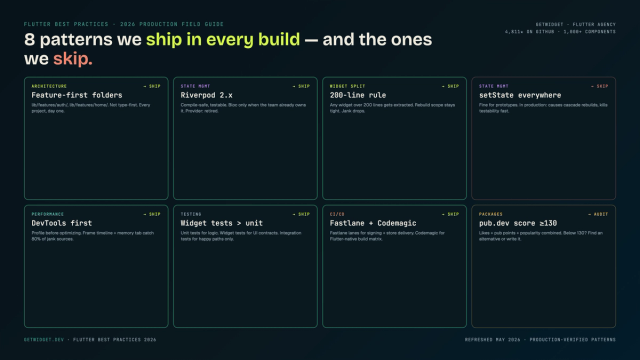
Flutter Mobile App Development: A 2026 Production Field Guide
How we structure Flutter projects at GetWidget in 2026: feature-first layout, Riverpod defaults, Dart 3 records and sealed classes, Material 3 theming, the 200-line widget rule, performance diagnosis, CI/CD pipelines, and the production pitfalls that bite teams after launch.

Best Flutter Drawer Widgets in 2026: Drawer, NavigationDrawer, and the Packages Still Worth Using
Top 10 Flutter drawer widgets for slide-out side menus: customization patterns, code examples, and how to integrate GetWidget's GFDrawer into your app.
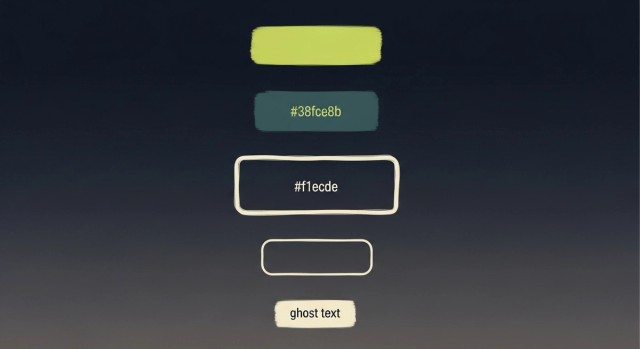
How to Design Custom Flutter Buttons in 2026: A Practitioner Guide to All 5 M3 Button Widgets
Flutter button widgets in 2026: the five Material 3 button classes (Filled, FilledTonal, Elevated, Outlined, Text), ButtonStyle deep-dive, GFButton when M3 isn't enough, FAB and IconButton patterns, M2 migration map, plus the accessibility and performance bars no tutorial covers.