Flutter Card Widget: Material 3 Variants, Elevation and M3 Migration (2026)
The flutter card widget patterns we ship in production: when Card.elevated / Card.filled / Card.outlined wins, the M3 surface tint and 12dp radius defaults, tappable Card with InkWell, and the five Card bugs we catch in code review.
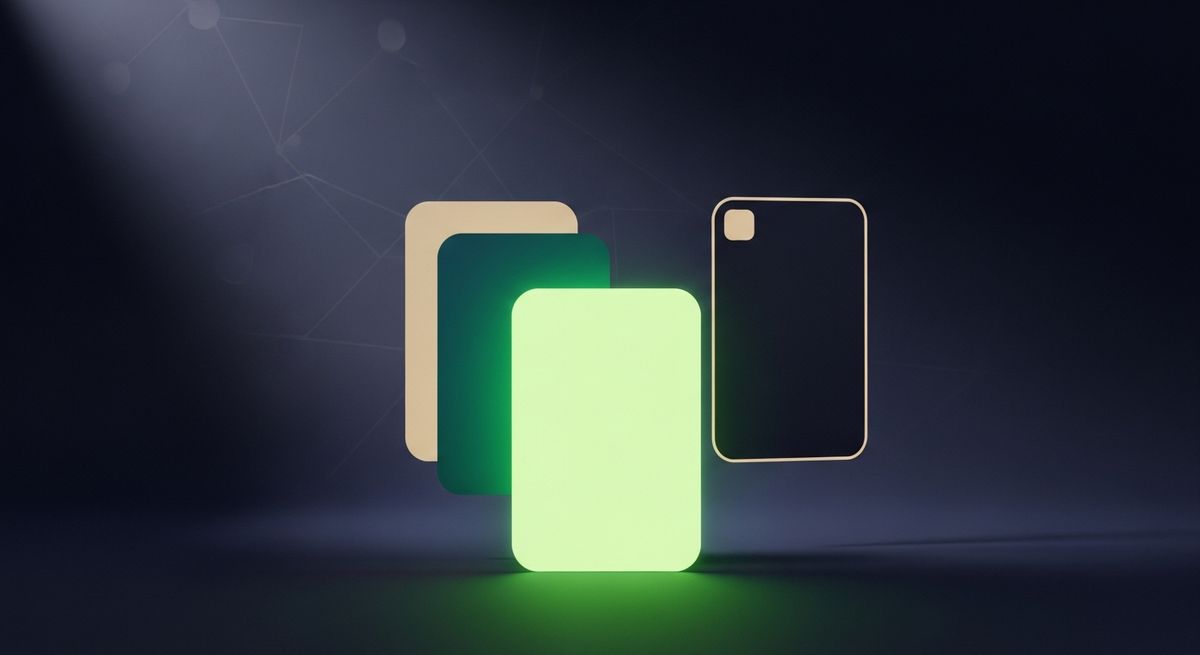
Across the ten industries we ship Flutter in, Card is the wrapper widget every product surface ends up using: dashboard tiles, settings groups, feed items, KPI panels, product cards in commerce. The choice between Card.elevated (the default), Card.filled, Card.outlined, or a bare Container wrap looks small at design time and turns into a theming or accessibility decision once the app hits real users. This guide walks through the flutter card widget patterns we actually ship, the Material 3 changes that shifted defaults under teams upgrading without checking, and the production-grade fixes most card tutorials skip.
Two framing notes. Card got a substantial M3 refresh: three named constructors (elevated, filled, outlined), a new surfaceTintColor that paints over the base color based on elevation, default elevation dropped from 4dp to 1dp, and border-radius bumped from 4dp to 12dp. Designers spot these shifts immediately. Second: the Card widget is wrapped in InkWell semantics only when you give it an onTap. For fully-clickable cards you need to wrap the Card child explicitly, not the Card itself, or the ripple bleeds outside the rounded corners. We have seen this exact gotcha on every M2 to M3 upgrade we have run this year. It is the single visual bug that ships fastest because the desktop and tablet preview shows it cleanly while the mobile build paints the broken ripple, and most reviewers approve on desktop.
When the flutter card widget is the right primitive
Use Card when content needs a visual boundary that lifts it slightly off the surface: a settings group, a dashboard KPI tile, a feed item, a product card, a notification grouping. Card ships the right M3 elevation, the right border-radius, the right surface tint, and the right padding contract. The reason to escape to a bare Container with BoxDecoration is rarely visual. It is usually because you need a specific shape (curved bottom edge, asymmetric corners) Card cannot model, or because the surrounding layout already handles elevation and Card adds visual noise. A second reason we see: a screen where every section is wrapped in a Card and the result feels heavy. Sometimes the right answer is to use Card on the primary surface and let secondary content flow without a wrapper, the way Material 3 itself does on most reference layouts.
| Need | Use | Why |
|---|---|---|
| Standard dashboard tile or product card | Card (Card.elevated) | Right M3 elevation, radius, surface tint — all built in |
| Filled card with no elevation (M3 muted tone) | Card.filled | Paints with secondaryContainer; no shadow, no surface tint |
| Outlined card (border, no fill) | Card.outlined | Single-line border, M3 outline color, no elevation |
| Fully tappable card (whole surface is button) | InkWell wrapping Card child | Ripple stays inside rounded corners; Semantics correct |
| Card-shaped surface with custom shape | Material with shape: ... | Same elevation contract, custom shape via ShapeBorder |
| Free-form background panel (not a card) | Container with BoxDecoration | Use when Card semantics do not apply (hero areas, full-bleed sections) |
Card.elevated, Card.filled, Card.outlined: the M3 variant decision
Material 3 introduced three named Card constructors. Each has a different visual treatment and use case. Picking right is a design-system decision, not a per-screen call. The variant choice should be made once when the design system is established, then enforced through CardTheme so individual screens cannot drift. Mixing all three variants in random combinations on different surfaces is the single most common signal of an unfinished design system in the Flutter apps we audit.
| Surface intent | Card.elevated (default) | Card.filled | Card.outlined |
|---|---|---|---|
| Dashboard tile (primary surface) | Yes: best fit | No | No |
| Settings group (muted background) | No | Yes: best fit | Alternative |
| Form field group (clear boundary) | No | No | Yes: best fit |
| Product card in commerce list | Yes (with onTap) | Alternative | For minimal designs |
| Feed item (social, news) | Yes: best fit | Alternative | No |
| Dense settings list (no visual weight) | No | Yes: best fit | No |
// Card.elevated — primary surface, 1dp elevation, M3 default radius
Card.elevated(
  child: Padding(
    padding: const EdgeInsets.all(16),
    child: Column(
      crossAxisAlignment: CrossAxisAlignment.start,
      children: [
        Text('Active sessions', style: Theme.of(context).textTheme.labelMedium),
        const SizedBox(height: 8),
        Text('1,247', style: Theme.of(context).textTheme.headlineMedium),
      ],
    ),
  ),
);

// Card.filled — muted, no elevation, secondaryContainer fill
Card.filled(
  child: ListTile(
    title: const Text('Notification preferences'),
    leading: const Icon(Icons.notifications_outlined),
    trailing: const Icon(Icons.chevron_right),
    onTap: () => context.push('/settings/notifications'),
  ),
);

// Card.outlined — single border, no fill, no elevation
Card.outlined(
  child: Padding(
    padding: const EdgeInsets.all(20),
    child: Form(
      child: Column(
        children: [
          TextFormField(decoration: const InputDecoration(labelText: 'Email')),
          const SizedBox(height: 16),
          TextFormField(decoration: const InputDecoration(labelText: 'Password')),
        ],
      ),
    ),
  ),
);
Material 3 changes that catch teams upgrading
Setting useMaterial3: true shifts Card visibly in five ways across every screen of the app. First, default elevation drops from 4dp to 1dp and every screen feels flatter immediately. Second, surfaceTintColor activates by default, painting a primary-tinted overlay on top of base color at an opacity tied to elevation. Third, default border-radius bumps from 4dp to 12dp, which makes M2 layouts look pinched. Fourth, the new color parameter on Card behaves differently with M3 — it gets composited with the surface tint, so passing color: Colors.white may not look white. Fifth, three new named constructors (elevated, filled, outlined) replace what used to be a single Card with manual styling.
ThemeData(
  useMaterial3: true,
  cardTheme: CardTheme(
    elevation: 1,                       // M3 default; bump to 2-3 for hero tiles
    surfaceTintColor: Colors.transparent, // disable tint if design is flat
    color: Colors.white,                // honored only with transparent surfaceTint
    shape: RoundedRectangleBorder(
      borderRadius: BorderRadius.circular(12), // M3 default
    ),
    margin: const EdgeInsets.symmetric(horizontal: 0, vertical: 4),
    clipBehavior: Clip.antiAlias,       // important for cards holding images
  ),
);
Making the whole card tappable: the InkWell pattern
Card itself does not absorb taps. To make the entire card a tap target with the right ripple animation, wrap the Card child in InkWell and let Card hold the shape and elevation. The pattern that fails: putting InkWell as the parent of Card. The ripple paints outside the rounded corners and looks broken on every screen. The fix is structural rather than visual: InkWell needs an ancestor Material widget to paint into, and Card provides that, so wrapping the child gives InkWell the Material it needs.
Card.elevated(
  clipBehavior: Clip.antiAlias,  // critical — without this, ripple bleeds outside radius
  child: InkWell(
    onTap: () => context.push('/product/${product.id}'),
    child: Padding(
      padding: const EdgeInsets.all(16),
      child: Row(
        children: [
          Image.network(product.imageUrl, width: 64, height: 64),
          const SizedBox(width: 12),
          Expanded(
            child: Column(
              crossAxisAlignment: CrossAxisAlignment.start,
              children: [
                Text(product.name, style: Theme.of(context).textTheme.titleMedium),
                Text('\$${product.price}', style: Theme.of(context).textTheme.bodyLarge),
              ],
            ),
          ),
          const Icon(Icons.chevron_right),
        ],
      ),
    ),
  ),
);
CardTheme: getting consistent styling across the app
Almost every Card property has a corresponding CardTheme entry. Set them once in ThemeData.cardTheme and every Card in the app inherits, including Cards inside Dialog, Drawer, and BottomSheet. The biggest gain: when design tweaks default elevation from 1dp to 2dp, you change one line in the theme rather than every screen. Two properties that earn their keep on basically every production build we have shipped over the last year: clipBehavior: Clip.antiAlias (critical for any Card holding images or a child with its own InkWell ripple), and margin (default is EdgeInsets.all(4), which surprises designers who expected 0). A third worth knowing: shadowColor. M3 mostly uses surface tint rather than shadow on light theme, but on dark theme the shadow still paints. Setting shadowColor: Colors.transparent on dark theme gives the flat look most M3 dark designs expect. We set both surfaceTintColor and shadowColor to transparent in CardTheme by default on every new project to start from a known baseline, then add elevation cues back where the design system calls for them.
Performance: when cards in lists become the framerate bottleneck
Accessibility: what Card gives you and what it doesn't
| Gap | Symptom | Fix |
|---|---|---|
| Tappable Card without Semantics button flag | Screen reader says nothing about the card being interactive | Wrap InkWell child in Semantics(button: true, label: descriptive text) |
| Tap target smaller than 48dp | Small KPI tiles fail mobile accessibility audit | Set minimum height on Card or InkWell to 48dp |
| Card title and body announced separately | Screen reader reads each Text in the card in isolation | Wrap the card content in MergeSemantics |
| Image in Card has no alt | Screen reader says 'image' with no context | Pass semanticLabel to Image / NetworkImage; or wrap in Semantics(image: true, label: ...) |
Migrating Card from Material 2 to Material 3
Flipping useMaterial3: true on a project built around M2 Card defaults will shift every screen visibly. Five things change at once. Default elevation drops from 4dp to 1dp so the elevation shadow basically disappears. Border-radius bumps from 4dp to 12dp so card corners look noticeably softer. surfaceTintColor activates and paints a primary-tinted overlay over the base color. The bottom-edge shadow under elevation becomes a tint rather than a soft shadow on light theme. And the three new named constructors give you cleaner code paths than the M2 pattern of writing Card with manual elevation and shape every time.
| M2 pattern | M3 replacement | Notes |
|---|---|---|
| Card with elevation: 4 (M2 default) | Card.elevated with elevation: 1 (or default) | Or override default in CardTheme to 2-3 for hero tiles |
| Card with shape: RoundedRectangleBorder(borderRadius: BorderRadius.circular(4)) | Default shape (12dp) | Update designs to match the softer corner; or override theme |
| Manual color: Colors.white | color + surfaceTintColor: Colors.transparent | Both needed to actually get white under M3 |
| Card with custom outline via DecoratedBox wrapper | Card.outlined | Built-in M3 outline color, no wrapper needed |
| Muted background Card via color override | Card.filled | Uses secondaryContainer; matches M3 spec |
The migration we recommend on existing M2 codebases: set CardTheme with explicit elevation, surfaceTintColor, and shape values that match your design system before flipping useMaterial3. That way the cards stay visually consistent through the flag flip, and you migrate the actual design system in a separate, planned pass rather than mid-upgrade. We have done this on three production codebases this year and the pattern saved each from a designer-led screenshot war.
The five flutter card widget bugs we see in code review
| Bug | Symptom | Fix |
|---|---|---|
| InkWell ripple bleeds outside radius | Tap animation paints square corners on rounded card | Set clipBehavior: Clip.antiAlias on Card |
| color: Colors.white renders grey | M3 surface tint composites over white | Set surfaceTintColor: Colors.transparent in CardTheme |
| Card margin causes layout drift | Cards in a Wrap or GridView have unexpected gaps | Set margin: EdgeInsets.zero in CardTheme; control spacing via parent |
| Image overflows card on small screens | Image rendered before card clipBehavior applies | Wrap Image in ClipRRect with matching borderRadius |
| Card inside a horizontal scroller has no width | Card collapses to zero width | Wrap in SizedBox with explicit width or use ConstrainedBox |
For the ListTile pattern that lives inside most Cards on settings screens, see our guide to flutter list tile widgets. For how Card-based layouts fit into the rest of a production Flutter app, our Flutter mobile app development field guide covers the practices we apply on every build.
Common questions about the Flutter card widget
What is the flutter card widget?
Card is the Material wrapper widget for content that needs a visual boundary lifted slightly off the surface: dashboard tiles, settings groups, feed items, product cards. Material 3 introduces three named constructors (Card.elevated, Card.filled, Card.outlined) with different visual treatments, plus a new surface tint behavior tied to elevation.
What are the three Card variants in Material 3?
Card.elevated (default — 1dp elevation, surface tint), Card.filled (no elevation, secondaryContainer fill — muted), Card.outlined (single border, no fill, no elevation). Pick elevated for primary surfaces, filled for muted backgrounds, outlined for form-field groupings or minimal designs.
Why does my Card look grey when I set color: Colors.white?
Material 3 paints a primary-tinted overlay on top of Card's base color, opacity tied to elevation. To get a true white card under M3, set surfaceTintColor: Colors.transparent in CardTheme. This is the most common 'my card looks wrong after upgrading to M3' issue we see.
How do I make a Card tappable?
Wrap the Card's child in InkWell with an onTap. Do not put InkWell around Card — the ripple paints outside the rounded corners. Also set clipBehavior: Clip.antiAlias on the Card so the ripple stays inside the radius.
What is surfaceTintColor in Material 3 Card?
surfaceTintColor is a color painted on top of Card's base color at an opacity proportional to elevation. Material 3 uses this instead of shadow for the elevation cue on light themes. Set surfaceTintColor: Colors.transparent to disable the tint when the design demands a flat look.
How do I change Card border-radius?
Set shape: RoundedRectangleBorder(borderRadius: BorderRadius.circular(N)) on the Card or on CardTheme. The M3 default is 12dp; M2 was 4dp. For matching M3 BottomSheet and Dialog corners, use 12dp; for tighter card grids, drop to 8dp.
How do I improve Card performance in a long list?
Three rules. Use ListView.builder, not a Column of Cards. Wrap each Card in a RepaintBoundary when it holds an image. const-ify static children. Combined, these took a 200-item commerce feed from 42fps to 60fps on a mid-range Android device.
What is the difference between Card and Container with BoxDecoration?
Card ships the Material elevation contract — surface tint, shadow on dark theme, ripple compatibility, M3 default radius and elevation. Container with BoxDecoration is a free-form panel with no Material semantics — use it for hero areas or full-bleed sections, not for tile-style surfaces.


Flutter Carousel Widget Component: M3 CarouselView, Hero and Multi-Browse Layouts (2026)
The flutter carousel widget component patterns we ship in production: M3 CarouselView (uncontained), CarouselView.weighted for hero and multi-browse layouts, carousel_slider migration, accessibility patterns and the five carousel bugs we catch in code review.
Flutter Mobile App Development: A 2026 Production Field Guide
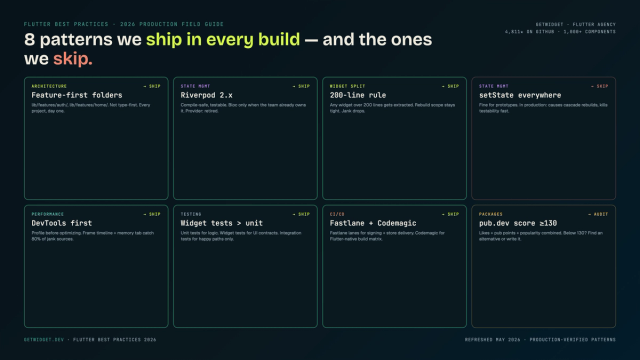
How we structure Flutter projects at GetWidget in 2026: feature-first layout, Riverpod defaults, Dart 3 records and sealed classes, Material 3 theming, the 200-line widget rule, performance diagnosis, CI/CD pipelines, and the production pitfalls that bite teams after launch.
How to Design Custom Flutter Buttons in 2026: A Practitioner Guide to All 5 M3 Button Widgets
Flutter button widgets in 2026: the five Material 3 button classes (Filled, FilledTonal, Elevated, Outlined, Text), ButtonStyle deep-dive, GFButton when M3 isn't enough, FAB and IconButton patterns, M2 migration map, plus the accessibility and performance bars no tutorial covers.
Top 10 Best Flutter List Tile Widgets: Patterns, Variants and M3 Migration (2026)
Top 10 Flutter ListTile widgets for clean rows with leading and trailing icons, titles, and subtitles — with code examples and GetWidget's GFListTile.