Flutter Fonts: Build a Production Text System with TextTheme & Google Fonts (2026)
Build a scalable Flutter typography system: TextTheme tokens, Google Fonts integration, variable fonts, and cross-platform rendering fixes for production apps.
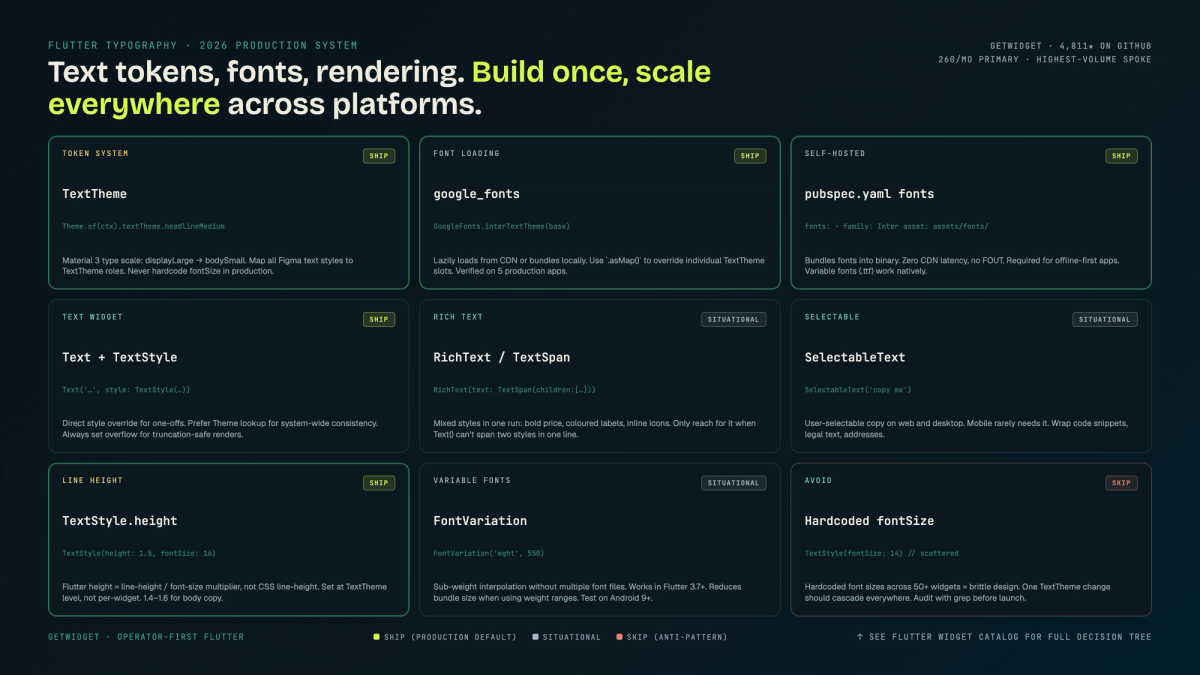
Flutter Fonts: The Production Text System We Use Across Every Build
What a flutter fonts setup actually looks like at production scale — TextTheme tokens, Google Fonts integration, variable fonts, and the cross-platform rendering fixes we apply on every build.
Flutter renders text with a custom Skia/Impeller path — not via the OS text stack. That gives you pixel-perfect cross-platform output, but it means the defaults are not what you'd expect from a native Android or iOS app.
We've shipped flutter fonts and typography systems on apps ranging from a Bangladeshi telecom's self-service portal to a US fintech dashboard. On every project the same four pain points come up: inconsistent type scales between design and code, font FOUT on first launch, Material 3 migration confusion, and broken dynamic-type on some Android OEM builds. This post covers all four, plus the full font system from TextStyle up to design tokens.
Typography is one of the deeper widget subsystems in Flutter. For a broader map of every category, our flutter widget catalog covers layout, scroll, form, and nav widgets alongside text. Start there if you're orienting on the full API surface, then come back here for the type system specifically.
Flutter's typography system: TextTheme, TextStyle, and the hierarchy you need to understand
Flutter's type system has two layers. The lower layer is TextStyle, a plain data class holding font family, size, weight, letter spacing, height, decoration, and color. The upper layer is TextTheme, a named collection of 15 TextStyle slots that live on the ThemeData object and apply app-wide.
The TextStyle class carries everything that controls how a glyph renders. The properties you'll use most:
const TextStyle(
  fontFamily: 'Inter',
  fontSize: 16,
  fontWeight: FontWeight.w400,
  height: 1.5,            // line-height = fontSize * height
  letterSpacing: 0.15,    // in logical pixels
  color: Color(0xFF1A1A1A),
  decoration: TextDecoration.none,
  decorationColor: Colors.transparent,
  leadingDistribution: TextLeadingDistribution.even, // M3 default
);
The flutter text style system composes via copyWith and merge. copyWith creates a new style, overriding only the fields you specify; all others inherit from the receiver. merge applies only the non-null fields of the argument style. In practice: copyWith when you hold the base, merge when a child widget receives an unknown parent style and needs to add to it.
TextTheme sits one level up. In our GetWidget UI Kit, every text-rendering component reads from Theme.of(context).textTheme rather than carrying its own font size. This means a single ThemeData change re-skins the entire component library. The 15 slots in Material 3 order:
// Material 3 TextTheme slot names (Flutter 3.x+)
// Display: largest, editorial/hero text
TextTheme.displayLarge   // 57sp, w400
TextTheme.displayMedium  // 45sp, w400
TextTheme.displaySmall   // 36sp, w400
// Headline: section headers
TextTheme.headlineLarge  // 32sp, w400
TextTheme.headlineMedium // 28sp, w400
TextTheme.headlineSmall  // 24sp, w400
// Title: card/dialog titles
TextTheme.titleLarge     // 22sp, w400   ← was headline6 in M2
TextTheme.titleMedium    // 16sp, w500
TextTheme.titleSmall     // 14sp, w500
// Body: reading text
TextTheme.bodyLarge      // 16sp, w400
TextTheme.bodyMedium     // 14sp, w400   ← default body
TextTheme.bodySmall      // 12sp, w400
// Label: button/chip/tab labels
TextTheme.labelLarge     // 14sp, w500
TextTheme.labelMedium    // 12sp, w500
TextTheme.labelSmall // 11sp, w500The Text widget is the primary consumer of flutter text widget in day-to-day work. It takes a style prop that overrides the ambient DefaultTextStyle, which in turn inherits from TextTheme. Understanding that three-layer chain (TextTheme, DefaultTextStyle, Text.style) is what separates an app with a coherent type system from one where every screen has its own ad-hoc font size.
Custom fonts: loading, fallbacks, and preloading to avoid FOUT
Flutter bundles fonts directly in the app binary. Unlike the web, there is no network font load. But there is still a first-render cost: fonts are loaded from the asset bundle into memory on first use. On mid-range Android devices we've measured this at 8–40 ms depending on font file size. For a splash screen or a first-frame hero text block, that gap is visible.
The flutter font declaration in pubspec.yaml controls which font files are included and under what family name:
flutter:
  fonts:
    - family: Inter
      fonts:
        - asset: assets/fonts/Inter-Regular.ttf
          weight: 400
        - asset: assets/fonts/Inter-Medium.ttf
          weight: 500
        - asset: assets/fonts/Inter-SemiBold.ttf
          weight: 600
        - asset: assets/fonts/Inter-Bold.ttf
          weight: 700
    - family: InterDisplay
      fonts:
        - asset: assets/fonts/InterDisplay-Regular.ttf
weight: 400To preload fonts before the first frame, call FontLoader in your main() before runApp. This adds ~15 ms to startup on a Pixel 6 but eliminates visible glyph-swap on first render:
void main() async {
  WidgetsFlutterBinding.ensureInitialized();
  // Preload all font weights before the first frame
  final loader = FontLoader('Inter')
    ..addFont(rootBundle.load('assets/fonts/Inter-Regular.ttf'))
    ..addFont(rootBundle.load('assets/fonts/Inter-Medium.ttf'))
    ..addFont(rootBundle.load('assets/fonts/Inter-SemiBold.ttf'))
    ..addFont(rootBundle.load('assets/fonts/Inter-Bold.ttf'));
  await loader.load();
  runApp(const MyApp());
}
Font fallbacks matter most on web targets. The fontFamilyFallback property on TextStyle accepts a list of families tried in order. For our UI Kit's web builds, we specify: ['system-ui', '-apple-system', 'sans-serif']. On mobile, the system fallback chain is handled by Skia/Impeller. You won't normally hit it unless a weight is missing from your pubspec.
Flutter Google Fonts package: convenience vs production trade-offs
The flutter google fonts package (google_fonts on pub.dev, 5,700+ likes) gives you access to the full Google Fonts catalog with a single pub dependency. In development, fonts download from the network. In release builds, you bundle only what you declare. That convenience has a real cost in production, one our team has hit more than once.
| Approach | Pros | Cons | Verdict |
|---|---|---|---|
| google_fonts package | Zero-setup for 1,400+ fonts; Hot-reload friendly in dev; Minimal pubspec config | Network fetch in debug builds can mask FOUT bugs; App binary size grows if you use many families; Runtime font loading path differs from bundled path — harder to audit | Good for prototypes and low-traffic internal apps. We use it in early sprints, then migrate to bundled assets before production cutover. |
| Bundled assets (pubspec) | Deterministic — exactly the files you shipped; No network dependency at runtime; Full control over weight/style permutations | Manual download + pubspec maintenance; Binary size increases with each family/weight; Easy to forget a weight and get silent Roboto fallback | Our default for every production build. The extra setup cost is 20 minutes once per project. |
| System font stack | Zero binary cost; Matches native OS feel; No FOUT on any platform | Different look on iOS vs Android; No cross-platform consistency; No custom brand expression | Acceptable for internal tooling apps where brand consistency is not required. |
If you use google_fonts and want to stay in production, configure it to load only from bundled assets. Add the font files to your assets/fonts/ directory and call GoogleFonts.config.allowRuntimeFetching = false in main(). This catches any missing font declaration at compile-time rather than silently falling back at runtime.
Material 3 typography: what changed and what breaks if you ignore it
Flutter 3.16 made Material 3 the default for new apps. If you initialized your project on Flutter 2.x and never explicitly set useMaterial3: true, your ThemeData still uses the Material 2 type scale. The two scales differ on every slot: different sizes, different weights, different leading distribution. Mixing them produces inconsistent layouts when M3 components (NavigationBar, FilledButton) appear alongside M2-era widgets.
The safe migration path: set useMaterial3: true in ThemeData, then audit every page for layout shifts. The most common break we see is titleLarge (22sp) replacing the old headline6 (20sp) in AppBar titles, which pushes the bar taller on some screen sizes.
MaterialApp(
  theme: ThemeData(
    useMaterial3: true,
    colorScheme: ColorScheme.fromSeed(seedColor: AppColors.brand),
    textTheme: AppTypography.textTheme, // your custom overrides
    fontFamily: 'Inter',
  ),
);Building a scalable flutter typography system: design tokens to TextTheme
The design token pattern maps Figma type styles to Dart constants that feed into TextTheme. Our team uses this on every client project. It keeps Figma and code in sync without manual updates on every design iteration.
This pattern tracks closely with how modern design systems work across the web stack. If you're evaluating where Flutter fits in your broader tech mix, our post on frontend development trends covers how design-token-driven theming has become a standard pattern across React, Vue, and Flutter simultaneously.
// Design tokens: single source of truth
class AppTypeTokens {
  // Base scale
  static const double xs  = 11;
  static const double sm  = 12;
  static const double md  = 14;
  static const double base = 16;
  static const double lg  = 18;
  static const double xl  = 20;
  static const double xl2 = 22;
  static const double xl3 = 24;
  static const double xl4 = 28;
  static const double xl5 = 32;
  static const double xl6 = 36;
  static const double xl7 = 45;
  static const double xl8 = 57;

  // Line heights
  static const double tight    = 1.25;
  static const double snug     = 1.375;
  static const double normal   = 1.5;
  static const double relaxed  = 1.625;

  // Letter spacing (lp)
  static const double tighterLS  = -0.5;
  static const double tightLS    = -0.25;
  static const double normalLS   = 0.0;
  static const double wideLS     = 0.15;
  static const double widerLS    = 0.5;
  static const double widestLS   = 1.25;
}

// TextTheme: built from tokens
class AppTypography {
  static const String _font = 'Inter';

  static const TextTheme textTheme = TextTheme(
    displayLarge:  TextStyle(fontFamily: _font, fontSize: AppTypeTokens.xl8, fontWeight: FontWeight.w400, letterSpacing: tighterLS, height: AppTypeTokens.tight),
    displayMedium: TextStyle(fontFamily: _font, fontSize: AppTypeTokens.xl7, fontWeight: FontWeight.w400, letterSpacing: tighterLS, height: AppTypeTokens.tight),
    displaySmall:  TextStyle(fontFamily: _font, fontSize: AppTypeTokens.xl6, fontWeight: FontWeight.w400, letterSpacing: normalLS,  height: AppTypeTokens.snug),
    headlineLarge:  TextStyle(fontFamily: _font, fontSize: AppTypeTokens.xl5, fontWeight: FontWeight.w400, height: AppTypeTokens.snug),
    headlineMedium: TextStyle(fontFamily: _font, fontSize: AppTypeTokens.xl4, fontWeight: FontWeight.w400, height: AppTypeTokens.snug),
    headlineSmall:  TextStyle(fontFamily: _font, fontSize: AppTypeTokens.xl3, fontWeight: FontWeight.w400, height: AppTypeTokens.snug),
    titleLarge:   TextStyle(fontFamily: _font, fontSize: AppTypeTokens.xl2, fontWeight: FontWeight.w400, letterSpacing: normalLS),
    titleMedium:  TextStyle(fontFamily: _font, fontSize: AppTypeTokens.base, fontWeight: FontWeight.w500, letterSpacing: wideLS),
    titleSmall:   TextStyle(fontFamily: _font, fontSize: AppTypeTokens.md,   fontWeight: FontWeight.w500, letterSpacing: wideLS),
    bodyLarge:    TextStyle(fontFamily: _font, fontSize: AppTypeTokens.base, fontWeight: FontWeight.w400, height: AppTypeTokens.normal, letterSpacing: wideLS),
    bodyMedium:   TextStyle(fontFamily: _font, fontSize: AppTypeTokens.md,   fontWeight: FontWeight.w400, height: AppTypeTokens.normal, letterSpacing: wideLS),
    bodySmall:    TextStyle(fontFamily: _font, fontSize: AppTypeTokens.sm,   fontWeight: FontWeight.w400, height: AppTypeTokens.normal, letterSpacing: widerLS),
    labelLarge:   TextStyle(fontFamily: _font, fontSize: AppTypeTokens.md,   fontWeight: FontWeight.w500, letterSpacing: wideLS),
    labelMedium:  TextStyle(fontFamily: _font, fontSize: AppTypeTokens.sm,   fontWeight: FontWeight.w500, letterSpacing: widerLS),
    labelSmall:   TextStyle(fontFamily: _font, fontSize: AppTypeTokens.xs,   fontWeight: FontWeight.w500, letterSpacing: widestLS),
  );
}
With this structure, updating the Figma type scale means editing two numbers in AppTypeTokens. The rest propagates automatically. We introduced this pattern on a healthcare client build after spending an afternoon chasing 14 different fontSize values across 30 screens. It has not needed modification since.
The RichText and TextSpan widgets give you inline styling within a single text run. This is the flutter text formatting tool for mixed-weight or mixed-color text:
RichText(
  text: TextSpan(
    style: Theme.of(context).textTheme.bodyMedium,
    children: [
      const TextSpan(text: 'Due in '),
      TextSpan(
        text: '3 days',
        style: const TextStyle(fontWeight: FontWeight.w600, color: AppColors.warning),
      ),
      const TextSpan(text: '. Review before approving.'),
    ],
  ),
);
Cross-platform rendering: why your flutter font looks different on iOS vs Android
Flutter uses Skia or Impeller (depending on Flutter version and platform) for text rasterization. Both produce consistent output across platforms for the same font file. The inconsistency developers see is almost always one of three things: different font metrics in the file (ttf vs otf), platform-specific font hinting, or subpixel rendering differences on different display hardware.
We've seen this most on line height. iOS default TextLeadingDistribution is proportional; Android (and the M3 default) is even. Setting TextLeadingDistribution.even explicitly on every TextStyle in your TextTheme eliminates the platform difference. The height property on TextStyle is specified as a multiplier of fontSize, not in pixels. So height: 1.5 on a 16sp font gives 24px of line height on both platforms.
On one telecoms build targeting both iOS and Android, our QA flagged that card titles appeared taller on iOS. The root cause: the Text widget was using Theme.of(context).textTheme.titleMedium without explicitly overriding leadingDistribution. Apple's Core Text defaults shifted the ascent/descent split differently from Android's layout engine, producing a 2px height difference on 16sp text. Adding leadingDistribution: TextLeadingDistribution.even to titleMedium in our TextTheme fixed it globally.
Responsive flutter typography: scaling text with screen size
Flutter's logical pixels auto-scale for device pixel ratio, so a 16sp font looks the same physical size on a 1x and a 3x screen. But responsive typography in the UI design sense (larger display text on a tablet, smaller on a compact phone) requires explicit breakpoints.
ThemeData responsiveTheme(BuildContext context) {
  final width = MediaQuery.sizeOf(context).width;
  final scale = switch (width) {
    > 1024 => 1.15,
    > 600  => 1.0,
    _      => 0.9,
  };

  return ThemeData(
    useMaterial3: true,
    textTheme: AppTypography.textTheme.apply(
      fontSizeFactor: scale,
      fontSizeDelta: 0,
    ),
  );
}
The textTheme.apply() method scales every slot proportionally. We use a 0.9 factor on compact phones (< 360dp wide) and a 1.15 factor on tablet/desktop. Display slots scale with the same multiplier, so the hierarchy ratios remain visually consistent across screen sizes.
| Scenario | Approach | Rationale | |
|---|---|---|---|
| Rapid prototype / hackathon | google_fonts with default TextTheme | Fast to set up, network fetching acceptable in debug, no pubspec font config | |
| Client product, single brand font | Bundled assets + design token TextTheme | Deterministic builds, design-code sync, single token update propagates everywhere | |
| Internal tool, OS-native look preferred | System font stack (no custom font declaration) | Zero binary cost, zero FOUT risk, looks native on each platform | |
| White-label app with customer brand fonts | Runtime font loading via FontLoader per tenant | Font family varies per customer config; load on app init per tenant brand map |
Accessibility: minimum sizes, contrast ratios, and dynamic type
Flutter's accessibility model for text has two inputs: the OS text scaling factor (set in system Settings) and your own TextStyle sizes. The OS factor is applied via MediaQuery.textScalerOf(context), formerly MediaQuery.textScaleFactor (deprecated in Flutter 3.12). If you hardcode font sizes in pixels or use Text(style: TextStyle(fontSize: 12)) without allowing scale, users with accessibility settings enabled will see unsized text.
In our UI Kit we never set textScaler: TextScaler.noScaling on a Text widget unless there is a documented layout reason (icon labels in a fixed-size container are the only case we've accepted). The WCAG minimum for body text is 4.5:1 contrast ratio against background; we run a contrast check on every color-text pairing in the design token table before shipping.
For clamping at large font sizes (preventing overflow in fixed-size containers), use the textScaler clamp constructor:
// Allow up to 1.4x scale; beyond that, overflow risk in card layouts
Text(
  label,
  textScaler: MediaQuery.textScalerOf(context).clamp(
    minScaleFactor: 1.0,
    maxScaleFactor: 1.4,
  ),
  overflow: TextOverflow.ellipsis,
  maxLines: 2,
);
Typography gotchas we've hit in GetWidget builds
Production builds surface problems that dev builds hide. Here are the five typography issues we've hit most often across client projects:
Silent Roboto fallback from a missing pubspec weight
Symptom: one specific text element renders in a different font on some builds. Cause: a FontWeight used in code is missing from the pubspec fonts declaration. Flutter does not warn. It silently falls back to the system font. Fix: add a test that calls fontFamily.loadFamily() for each weight in your token table during CI.
Overflow in RTL locales
Arabic and Hebrew scripts have different glyph widths than Latin equivalents. A button sized for English will overflow for Arabic. We set softWrap: true and use flexible layouts everywhere that displays user-generated or localized text. Testing RTL is now part of our pre-release checklist for all client apps.
Line height inconsistency on Android 12 OEM builds
Samsung One UI and some Xiaomi MIUI builds override the system font metrics even when you bundle a custom font. The symptom is extra leading on body text. Paragraphs are taller than expected. Setting TextLeadingDistribution.even on every TextStyle in the theme resolves this by bypassing the system metric lookup.
google_fonts runtime fetch in release builds
We once shipped a client app with google_fonts in release mode without GoogleFonts.config.allowRuntimeFetching = false. On first cold start in a low-bandwidth environment, the font HTTP request failed and the whole app rendered in Roboto. The fix is two lines. The embarrassment is not. Set allowRuntimeFetching = false before beta testing.
Material 3 migration doubling font size in some slots
When migrating a project to Material 3, if you pass both fontFamily: 'X' on ThemeData AND a partial TextTheme, Flutter merges them in a way that can result in some slots using the M3 default scale and others using your override. The safe approach: construct the full 15-slot TextTheme explicitly, or use GoogleFonts.xTextTheme() which returns all 15 slots pre-configured.
Frequently asked questions about flutter typography
How do I set a default font for my entire Flutter app?
Set fontFamily on ThemeData: ThemeData(fontFamily: 'Inter'). This applies to all Text widgets that read from the ambient theme. For full control, also define a TextTheme with all 15 M3 slots explicitly. Otherwise some M3 components pull from the theme's default (Roboto 3.0) rather than your fontFamily override.
What is the difference between TextStyle.merge and TextStyle.copyWith?
copyWith creates a new style starting from the receiver, overriding only the fields you specify. Non-specified fields keep the receiver's values. merge applies the non-null fields of the argument to the receiver. This is useful when combining two styles where you don't control one of them. In practice: use copyWith when you own the base style; use merge when combining an external style with your own.
Why does my custom font only show up on some Android devices?
Almost always a missing font weight in pubspec.yaml. Declare every weight you use in code (w400, w500, w600, w700) as separate asset entries. Flutter does not synthesize bold from regular on Android. If the weight is missing, Flutter falls back to the system font silently.
How do I make inline text with mixed styles (bold word in a sentence)?
Use RichText with TextSpan children. Set the base style on the root TextSpan, then override individual children with a style prop. For simpler cases, Text.rich() accepts a TextSpan directly without needing a RichText wrapper.
What is the correct way to handle text scaling for accessibility in Flutter 3.12+?
Use MediaQuery.textScalerOf(context) instead of the deprecated textScaleFactor. If your layout requires a maximum scale to prevent overflow, use TextScaler.clamp(minScaleFactor, maxScaleFactor) rather than TextScaler.noScaling. Never disable scaling entirely on body text — this breaks accessibility for users with low vision.
On every client project the same four pain points come up: inconsistent type scales, font FOUT on first launch, Material 3 migration confusion, and broken dynamic type on some Android OEM builds.

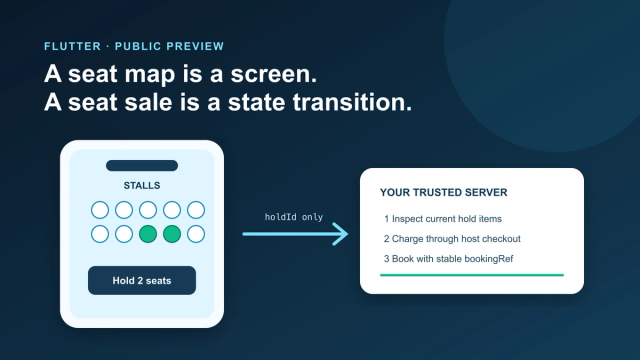
Add an Interactive Seat Map to Flutter: SDK, Holds, Checkout
Mount the public-preview SeatLayer SDK in Flutter, keep holds and payment server-side, and survive backgrounding, expiry, and 409 conflicts.
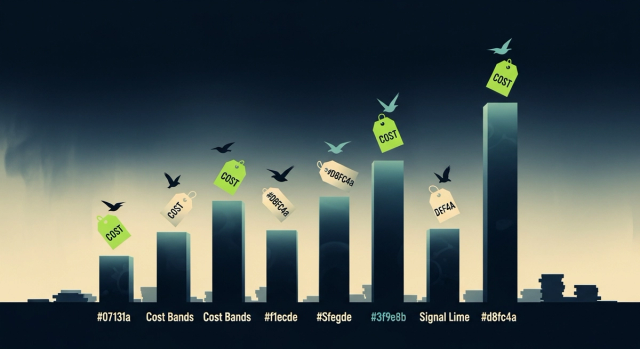
How Much Does It Cost to Hire a Flutter Developer in 2026? Rates, Salary Bands, and App Development Cost
How much does it cost to hire a Flutter developer? $15–$150/hr depending on region and seniority — breakdown by India, US, and Eastern Europe rates.
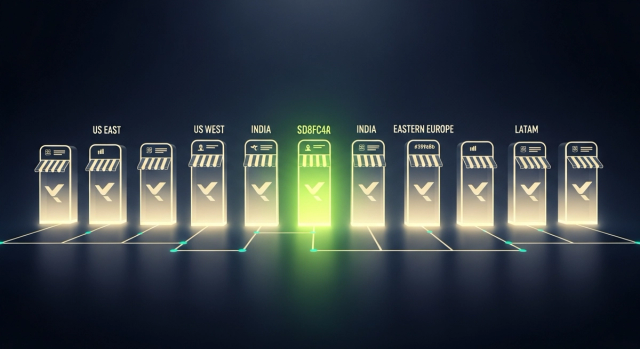
Top Flutter App Development Companies in 2026 — A Buyer's Shortlist (India + Global)
Top 10 Flutter app development companies in India (2026) — vetted by portfolio, scale, pricing, and Flutter delivery experience for production builds.

AI in Banking — Use Cases, Named Bank Precedents, and Eval Methodology (2026)
How AI is used in banking — fraud detection, credit scoring, customer service automation, RegTech, and the use cases banks are deploying right now.